12 Best Customer Service Chatbots (In-Depth Review)
In 2025, providing instant, 24/7 support isn't a luxury; it's an expectation. Customers want quick answers, and your team can't be everywhere at once. This is where the best customer service chatbots come in, transforming your support from a reactive cost center into a proactive, efficient engine for customer satisfaction and loyalty.
But with dozens of platforms promising to solve your support challenges, how do you find the right tool for your specific needs? This guide cuts through the noise. We're not just listing features; we are providing a deep, practical analysis of the top 12 chatbot solutions available today. We'll examine their core strengths, hidden limitations, and ideal use cases to help you make an informed decision.
This comprehensive resource is designed to give you a clear roadmap. We will evaluate everything from simple no-code builders perfect for small businesses to advanced, enterprise-grade systems built for massive scale. Each review includes screenshots, direct links, and an honest assessment to help you find a platform that aligns with your budget, technical resources, and business goals. For an expanded discussion and additional resources related to customer service, you can explore the dedicated Support Chatbots category for more in-depth articles.
By the end of this list, you'll have the clarity needed to select a chatbot that not only answers questions but also enhances your customer experience and drives measurable business growth. Let's find the perfect solution for you.
1. Yoonoo
Yoonoo stands out as one of the best customer service chatbots for its remarkable combination of simplicity, speed, and intelligence. Designed for businesses that need a powerful AI solution without the technical overhead, Yoonoo allows you to build and deploy a smart, self-learning chatbot in just five minutes. The setup process is entirely code-free; you simply provide your website URL, and the AI instantly learns from your existing content to answer customer queries with precision.
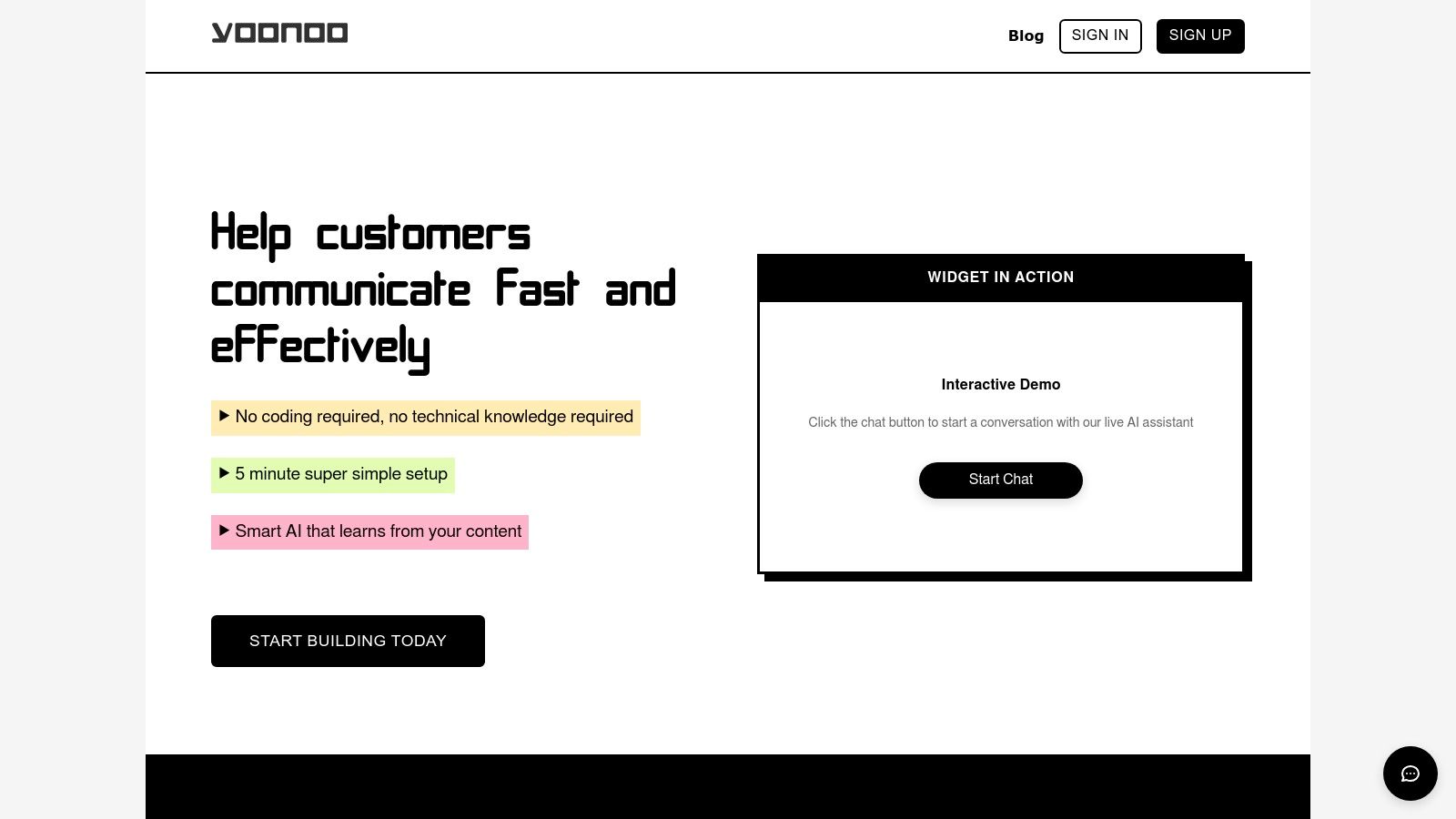
What truly distinguishes Yoonoo is its flexible implementation. It moves beyond the standard corner widget by offering an inline chat feature, which can be embedded directly into specific pages or sections. This contextual support is invaluable on FAQ pages, product descriptions, or complex help articles, as it provides answers exactly where a user might need them most, significantly reducing friction and improving the user experience.
Key Strengths & Use Cases
Yoonoo's practical application makes it an exceptional choice for a variety of businesses.
- For E-commerce: Embed an inline chat on product pages to answer specific questions about features, materials, or shipping, helping to convert hesitant buyers.
- For SaaS & Tech: Use the classic chat widget for general support and lead qualification, while leveraging email automation via Zapier to create support tickets or log feature requests seamlessly.
- For Small Businesses: The rapid, no-code setup means you can have an AI assistant handling routine questions 24/7, freeing up your team to focus on more complex customer issues. For an in-depth guide on deploying this kind of tool, you can explore Yoonoo's resources on AI for customer support.
Pricing & Implementation
Yoonoo employs a transparent, credits-based pricing model that is particularly friendly for growing businesses. You get your first 10 indexed pages of content for free, which is often enough for a small business or a specific campaign. Beyond that, message credits are sold in affordable increments at $0.002 per message, and crucially, these credits never expire. This pay-for-what-you-use system offers excellent long-term value and budget control, making it a scalable and cost-effective solution.
Pros:
- Extremely fast, no-code setup completed in minutes.
- AI learns from your website content, ensuring relevant and accurate responses.
- Versatile integration options: classic widget, inline chat, and email automation.
- Cost-effective, pay-per-use credits system with a generous free tier.
- Message credits never expire, offering superior budget control.
Cons:
- Indexing pages beyond the free tier requires a subscription, which can become a recurring cost for sites with extensive knowledge bases.
- The credits and indexed page quota system may initially seem complex for those new to this pricing model.
Website: https://yoonoo.ai
2. Intercom
Intercom positions itself as a complete, AI-first customer service platform designed for businesses aiming to automate and personalize support. Its standout feature, Fin AI Agent, autonomously resolves customer queries across chat, email, and social media by learning from your existing help documentation. This makes it one of the best customer service chatbots for teams that want a powerful bot without extensive manual setup.
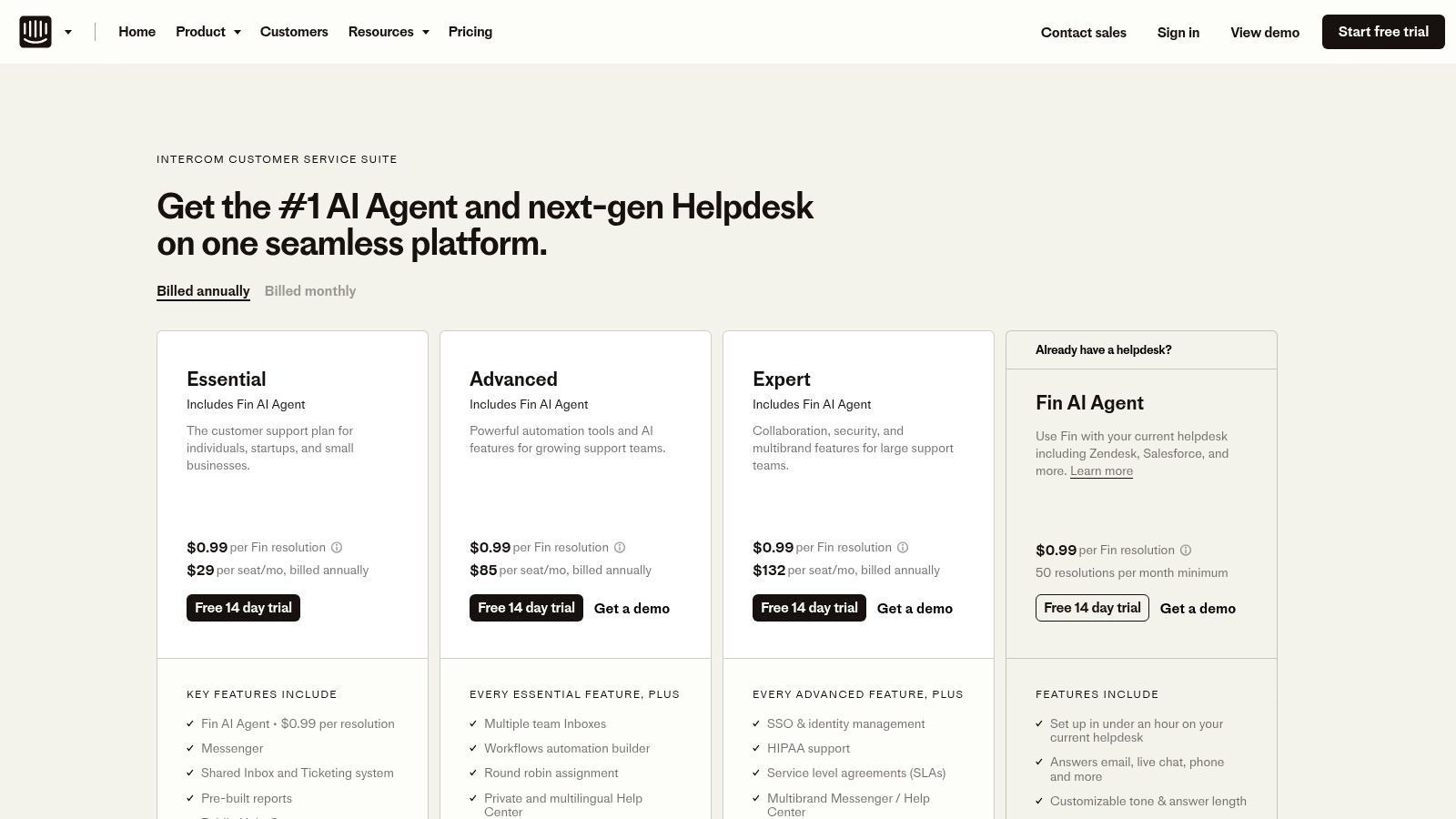
Unlike competitors that charge a flat monthly fee for their bot, Intercom’s pricing for Fin AI Agent is based on the number of successful automated resolutions. This pay-for-performance model can be cost-effective for businesses whose query volume fluctuates. The platform also includes a modern, collaborative inbox and a workflow builder to automate repetitive tasks for human agents.
Key Features and Pricing
- Fin AI Agent: A powerful AI chatbot that provides instant, accurate answers and can be integrated with external help desks like Zendesk.
- Modern Inbox: A central hub for managing conversations from all channels, complete with automation rules and team collaboration tools.
- Pricing: The "Pro" plan starts at $33 per seat/month (billed annually), with add-ons for Fin AI Agent ($0.99 per resolution), proactive messaging, and agent Copilot features. This variable cost structure allows you to scale your spending with your needs.
Pros and Cons
| Pros | Cons |
|---|---|
| Clear, resolution-based bot pricing is easy to understand. | Per-resolution fees can lead to unpredictable monthly costs. |
| Scales from startups to enterprises with strong security. | Advanced proactive features require purchasing extra add-ons. |
| Simple to deploy and integrate with existing help desks. | Can become expensive for high-volume support teams. |
Website: https://www.intercom.com/
3. Zendesk
Zendesk is a market-leading customer service suite that offers powerful, native AI agents designed to handle support requests across all channels. Its AI is built to resolve tickets, power live chat, and manage conversations from messaging apps, voice, and email, all from a unified workspace. This makes Zendesk one of the best customer service chatbots for established businesses, especially enterprises, that need a reliable, all-in-one solution with a deep integration ecosystem.
Unlike some platforms where AI is a separate, complex add-on, Zendesk integrates it directly into its core service suite. The pricing for its AI agents is transparent, based on a per-resolution model with bundled allowances in higher-tier plans. This structure, combined with its omnichannel agent workspace and over 1,000 available integrations, allows businesses to build a comprehensive and highly customized support hub that scales with their operational needs.
Key Features and Pricing
- AI Agents: Native chatbots that provide automated resolutions with clear, per-resolution pricing. Higher-tier plans include a generous allowance of automated resolutions.
- Omnichannel Agent Workspace: A unified inbox that centralizes conversations from every channel and connects with over 1,000 third-party apps and services.
- Pricing: The "Suite Team" plan starts at $55 per agent/month (billed annually). Advanced AI features, including Copilot and Workforce Management, are available as add-ons, allowing for scalable cost management.
Pros and Cons
| Pros | Cons |
|---|---|
| Enterprise-grade reliability and a very deep ecosystem. | Costs can scale quickly with AI resolutions and agent add-ons. |
| Transparent pricing for automated AI resolutions. | Advanced features often require higher tiers or paid add-ons. |
| All-in-one solution for omnichannel customer service. | May be overly complex for very small teams or startups. |
Website: https://www.zendesk.com
4. Freshworks (Freshdesk/Freshchat Customer Service Suite)
Freshworks provides a unified customer service suite that is particularly popular with small to mid-sized businesses. Its Freddy AI chatbot automates answers to common questions across chat, email, and social media, freeing up human agents for more complex issues. What sets Freshworks apart is its all-in-one approach, combining chatbot functionality with a robust ticketing system (Freshdesk) and messaging tools (Freshchat) into a single, cohesive platform.
This integration makes Freshworks one of the best customer service chatbots for teams that want a comprehensive solution without juggling multiple vendors. The platform is designed for quick setup and offers clear, tiered pricing plans that bundle various features, making it easy for businesses to choose a package that fits their budget and needs. Freddy AI not only handles self-service but also assists agents by suggesting responses and automating post-conversation tasks.
Key Features and Pricing
- Freddy AI: An AI-powered bot for both self-service automation and agent assistance, available across messaging, voice, and email channels.
- Omnichannel Inbox: A unified view of customer conversations from chat, email, social media, and phone, complete with automation rules and SLAs.
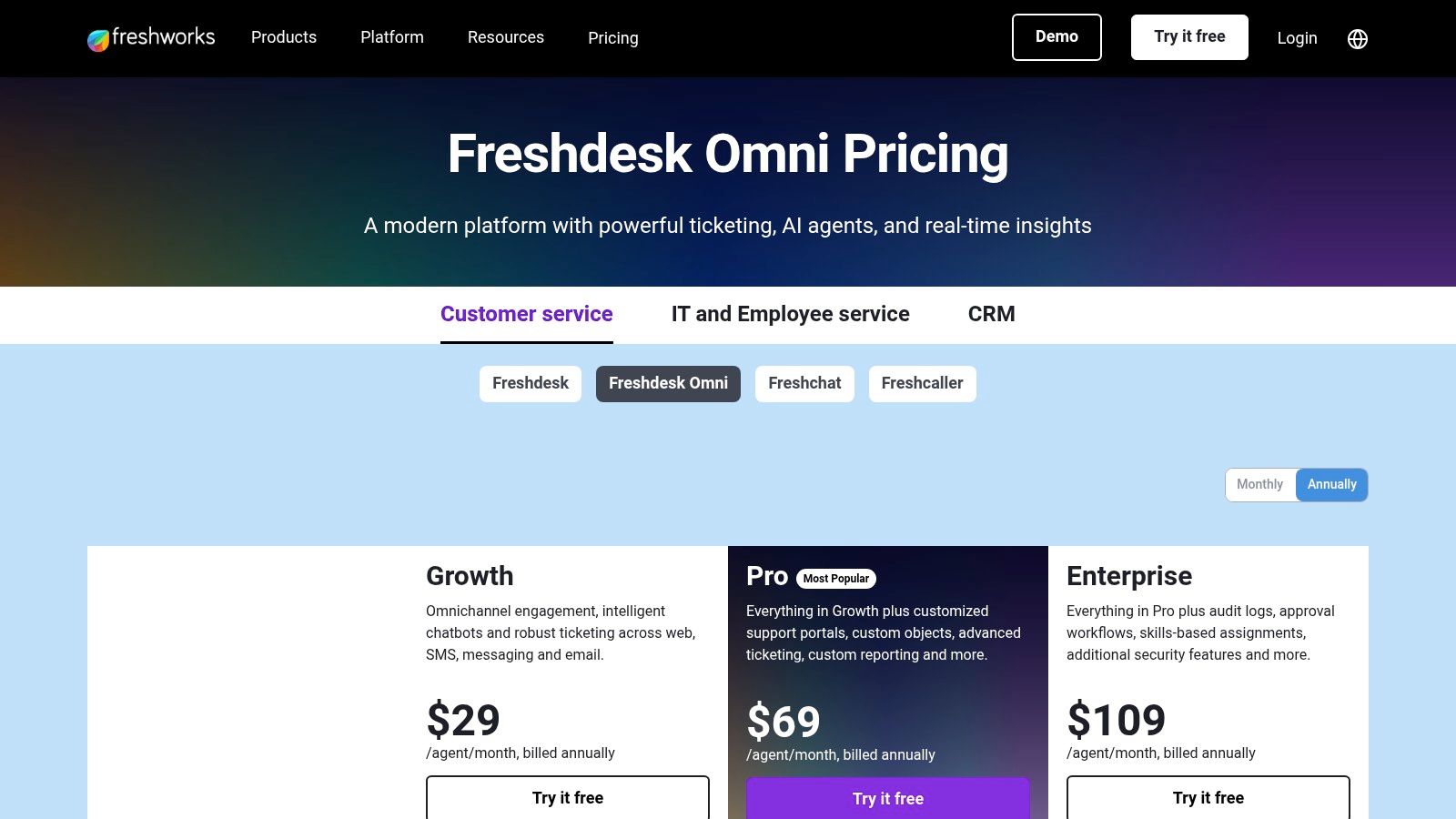
- Pricing: The Customer Service Suite offers several tiers. The "Pro" plan starts at $49 per agent/month (billed annually) and includes ticketing, messaging, and AI-powered automation features. A 14-day free trial is available for all plans.
Pros and Cons
| Pros | Cons |
|---|---|
| Competitive pricing with a quick and easy setup. | Some advanced analytics and features are locked in higher tiers. |
| Clear plan tiers with free trial options available. | Customization options for the chatbot can be limited on lower plans. |
| All-in-one suite simplifies the tech stack. | May be too comprehensive for businesses only needing a chatbot. |
Website: https://www.freshworks.com/customer-service-suite/pricing/?utm_source=openai
5. HubSpot Service Hub
HubSpot Service Hub integrates customer service software directly into its powerful CRM, offering a unified platform for support, marketing, and sales. Its standout feature is the native chatbot builder, which leverages CRM data to personalize conversations and automate lead qualification without complex coding. This makes it one of the best customer service chatbots for businesses already invested in the HubSpot ecosystem or those seeking an all-in-one solution.
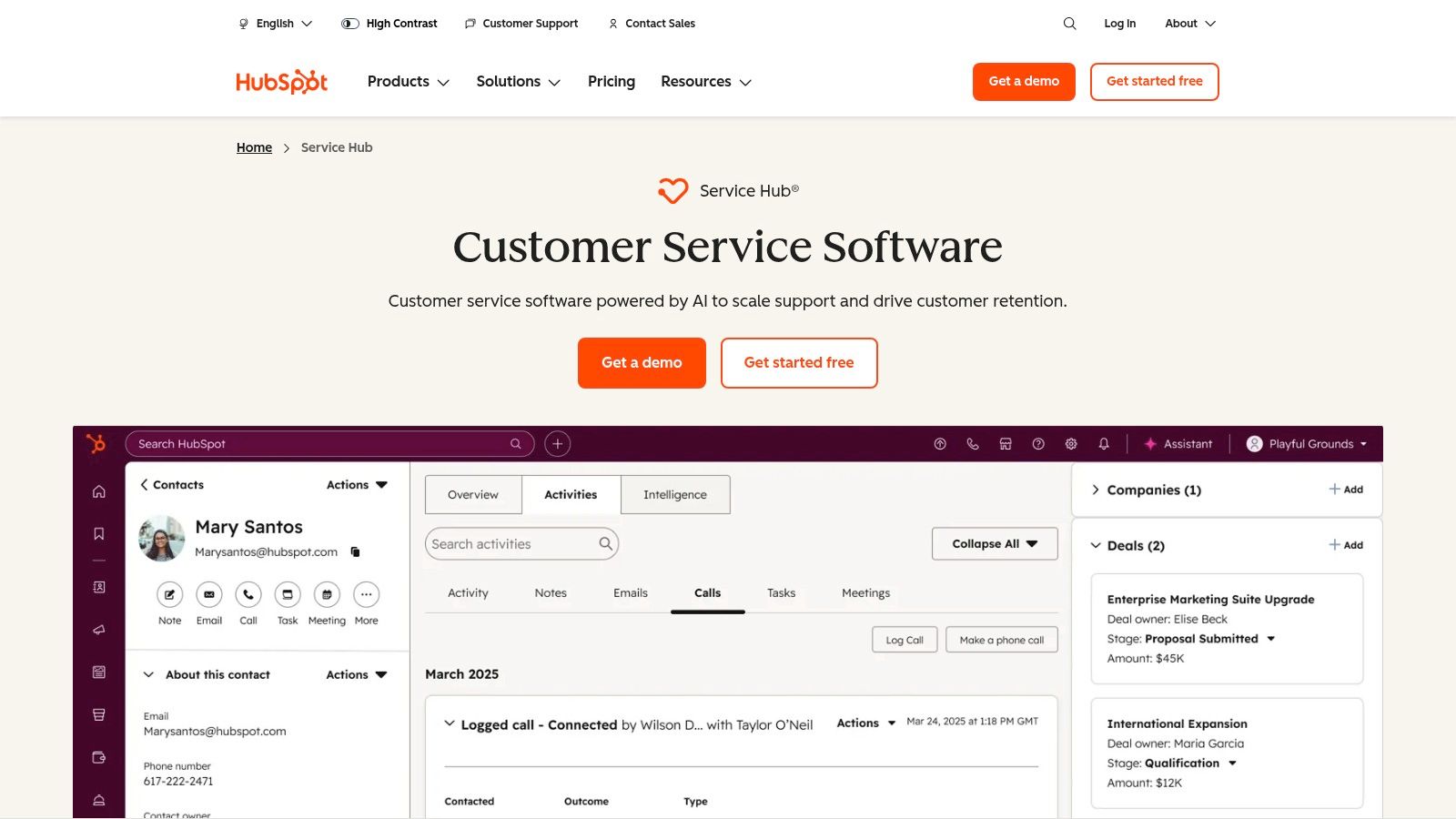
Unlike standalone bot platforms, HubSpot’s strength lies in its deep integration. The chatbot works alongside a shared inbox, ticketing system, and knowledge base, providing a complete service toolkit. While its free tools offer a great starting point for live chat and basic bots, the more advanced AI capabilities and workflow automation are reserved for the higher-tier Professional and Enterprise plans. The extensive HubSpot Academy also provides excellent resources for teams to maximize the platform's potential.
Key Features and Pricing
- Native Chatbot Builder: Create rule-based chatbots to deflect common questions, book meetings, and create support tickets automatically.
- Unified CRM Platform: All chat conversations and customer data are stored in one place, giving every team a complete view of the customer journey.
- Pricing: Starts with a generous free plan including live chat and basic bots. Paid plans like "Professional" begin at $450/month (billed annually) for 5 users, unlocking more sophisticated automation and reporting. For a closer look at similar platforms, you can learn more about AI customer service tools.
Pros and Cons
| Pros | Cons |
|---|---|
| Unified CRM and service data provide a holistic view. | Advanced AI and automation are locked behind expensive tiers. |
| Excellent free tools offer a low-risk entry point. | Mandatory onboarding fees may apply to upper-tier plans. |
| Strong educational resources via HubSpot Academy. | Can feel less specialized than dedicated chatbot platforms. |
Website: https://www.hubspot.com/products/service
6. Ada
Ada is an enterprise-grade AI platform built for large-scale customer service automation. It focuses on resolving high volumes of inquiries across multiple channels, making it one of the best customer service chatbots for companies needing strong governance and multilingual support. Ada’s AI agent can communicate in over 50 languages and operates across chat, email, and even phone, providing a unified customer experience.
Unlike many platforms focused solely on chat, Ada is designed to be an omnichannel resolution engine. It handles complex tasks like human handoffs, ticket creation, and step-by-step actions, all while gathering detailed analytics on CSAT and resolution rates. Its emphasis on brand persona controls and continual AI tuning ensures that the bot's interactions remain consistent and effective as the business scales.
Key Features and Pricing
- Omnichannel Automation: Deploy a single AI agent across chat, email, social, and voice channels to provide consistent support.
- Multi-Model AI Engine: Supports over 50 languages and allows for deep customization of the bot's persona and behavior.
- Pricing: Ada does not offer public pricing. It requires engagement with their sales team for a custom quote, reflecting its focus on enterprise and mid to large customer experience teams with complex needs.
Pros and Cons
| Pros | Cons |
|---|---|
| Designed for high-volume, automated resolution at scale. | No public self-serve pricing; requires a sales consultation. |
| Strong governance, integrations, and brand controls. | Better suited for established mid to large CX teams. |
| True omnichannel support including chat, email, and phone. | May be overly complex for small businesses or startups. |
Website: https://www.ada.cx/
7. Tidio
Tidio offers a user-friendly and affordable solution for small and medium-sized businesses looking to deploy live chat and AI automation. Its standout feature, the Lyro AI chatbot, can handle a significant portion of routine customer queries, freeing up human agents for more complex issues. This makes it one of the best customer service chatbots for e-commerce stores and SMBs that need a powerful, easy-to-implement tool without a steep learning curve.
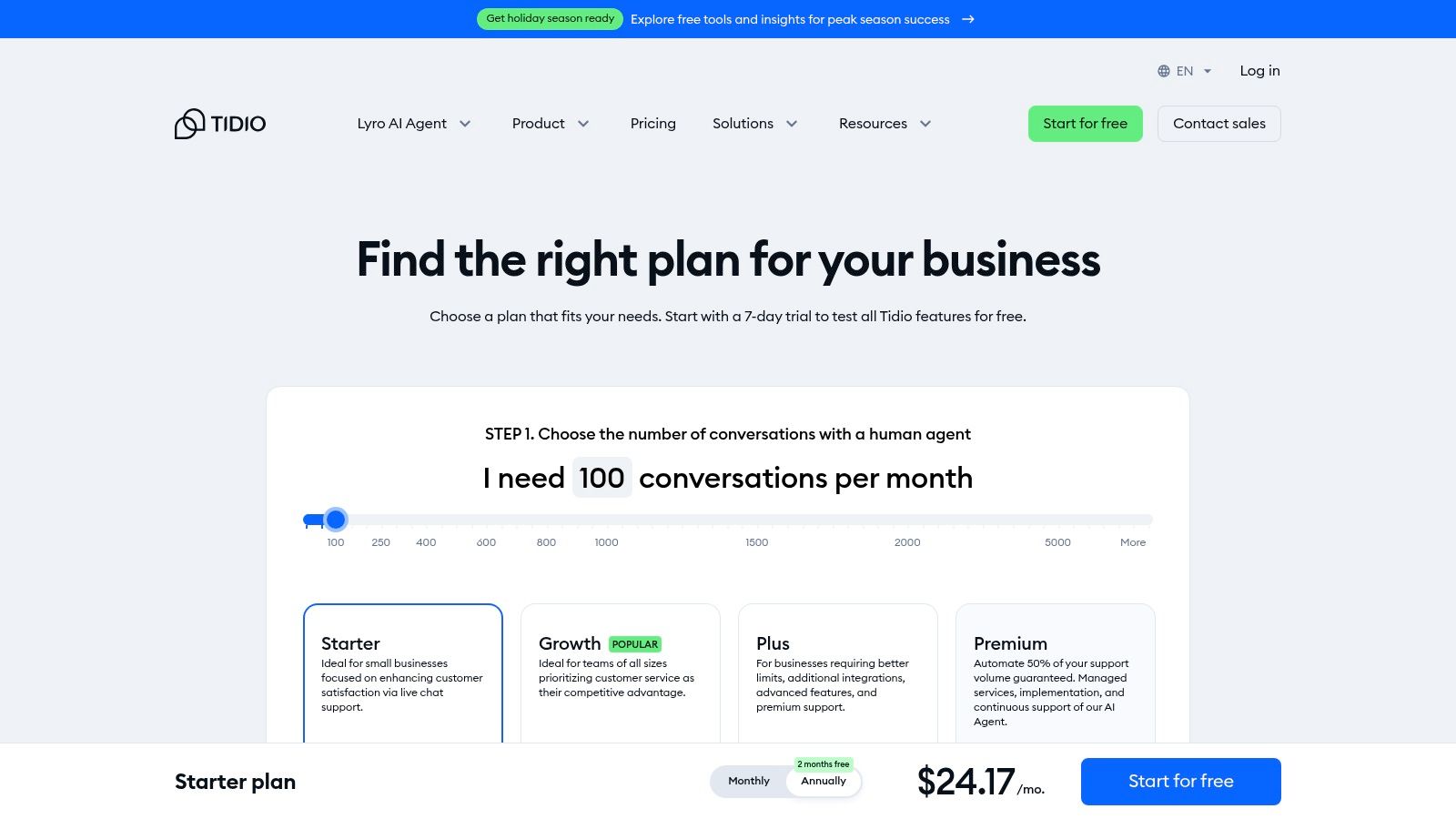
The platform combines a unified inbox for managing messages from your website, email, and social media with a no-code visual workflow builder. This allows you to create custom automation flows without any programming knowledge. Its plug-and-play integrations with popular platforms like Shopify and WordPress mean you can get started in minutes, making it an excellent choice for businesses seeking a quick and efficient setup.
Key Features and Pricing
- Lyro AI Agent: An advanced conversational AI that can resolve up to 70% of customer problems, with a visual, no-code automation builder for creating custom flows.
- Unified Inbox: Manage all customer conversations from live chat, email, Messenger, and Instagram in one central dashboard.
- Pricing: A free plan is available for basic live chat. Paid plans start with "Starter" at $29/month, which includes the Lyro AI. The "Growth" plan at $59/month offers more AI conversations and features.
Pros and Cons
| Pros | Cons |
|---|---|
| Extremely fast setup with plug-and-play integrations. | Branding removal and higher AI volumes require paid add-ons. |
| Clear, conversation-based pricing is suitable for small teams. | Advanced analytics are only available on higher-tier plans. |
| Combines AI, live chat, and a unified inbox in one platform. | Can be less customizable for very large, complex enterprises. |
Website: https://www.tidio.com/pricing/?utm_source=openai
8. LiveChat
LiveChat is a mature and widely-used customer service platform that excels at blending live agent support with optional AI automation. Instead of being an AI-first tool, it provides a robust live chat foundation and allows businesses to add its powerful ChatBot product to automate repetitive queries, qualify leads, and create tickets. This approach makes it one of the best customer service chatbot solutions for teams that want to start with live support and gradually introduce automation without replacing their entire system.
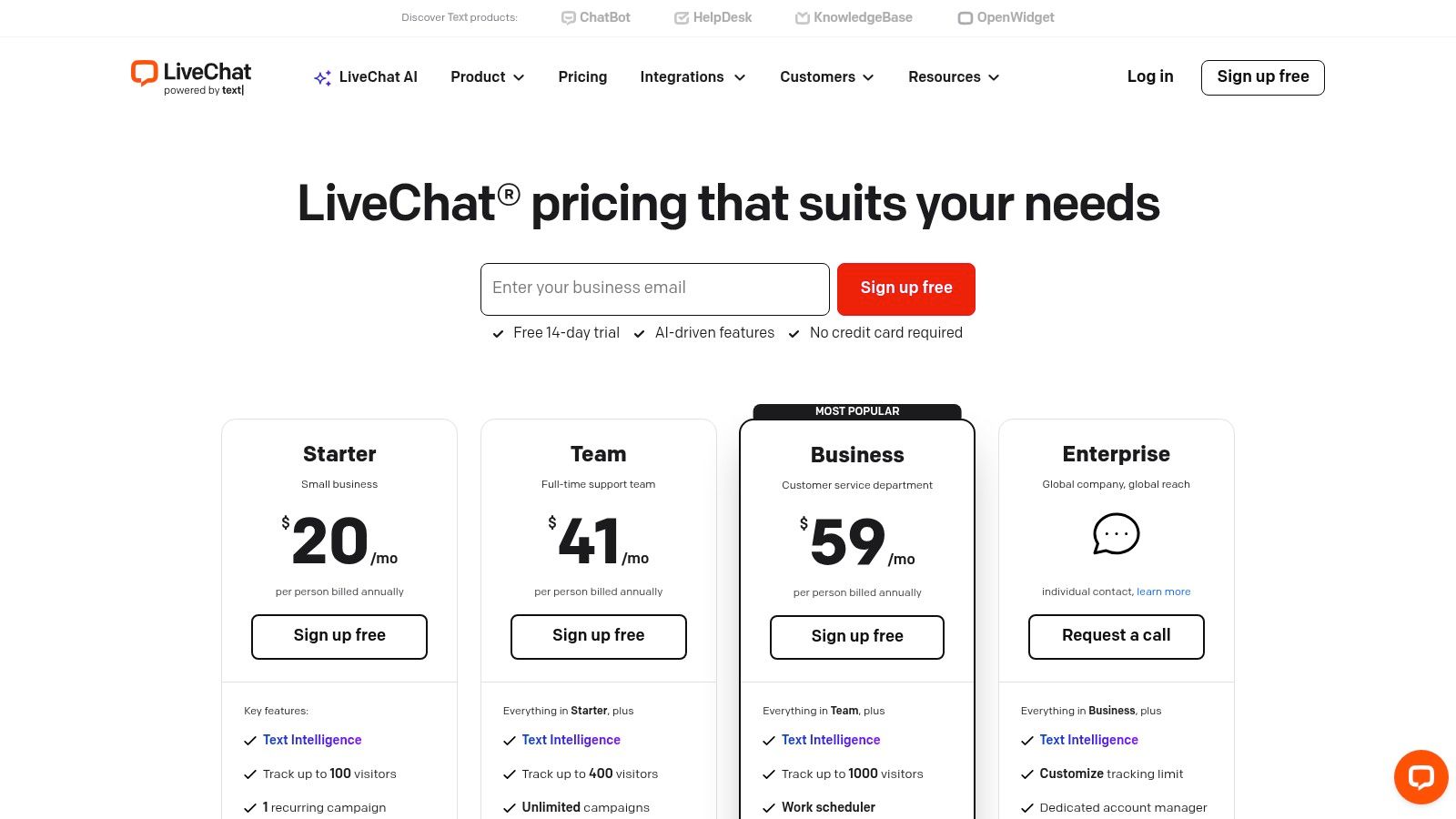
The platform's strength lies in its seamless integration of human and bot interactions. A chatbot can handle initial contact and answer common questions, then smoothly hand the conversation over to a human agent with the full context intact. LiveChat also offers powerful integrations with popular messaging channels like Messenger, WhatsApp, and Instagram, allowing you to manage all conversations from a single, unified inbox.
Key Features and Pricing
- Optional ChatBot Add-on: Build and deploy automated workflows to handle FAQs and route conversations without needing to code.
- Omnichannel Inbox: Manage chats, emails, and social media messages in one place to provide a consistent customer experience.
- Pricing: LiveChat plans start at $20 per agent/month (billed annually). The separate ChatBot product starts at $52/month, which includes 1,000 successful chats per month. This à la carte pricing lets you tailor the solution to your specific needs.
Pros and Cons
| Pros | Cons |
|---|---|
| Proven and stable platform with excellent channel integrations. | Core AI automation feature is available only as an add-on. |
| Flexible automation pairing via the ChatBot add-on. | Pricing per seat can become costly for larger support teams. |
| Strong focus on human-to-human interaction and support. | The cost of both LiveChat and ChatBot can add up. |
Website: https://www.livechat.com/pricing/
9. ChatBot (by Text/LiveChat)
ChatBot, from the makers of LiveChat, is a dedicated no-code AI chatbot builder designed for teams that want to create and deploy bots without engineering support. Its main strength lies in its intuitive visual builder, which uses a drag-and-drop interface to design conversation flows. This makes it one of the best customer service chatbots for businesses seeking full control over the user journey, from simple FAQs to complex support scenarios.
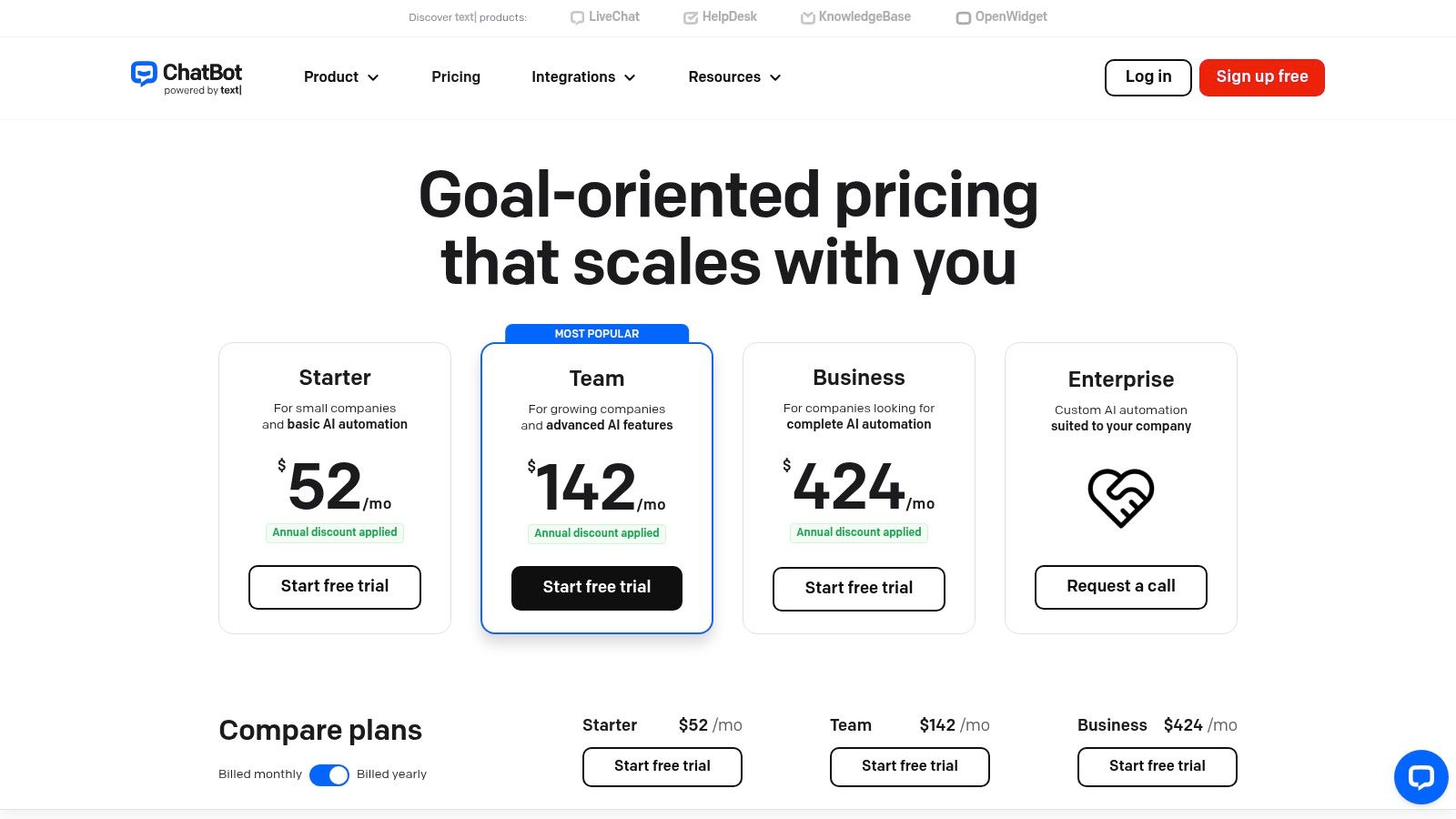
The platform stands out by offering both a standalone bot solution and deep integration with popular help desks like LiveChat, Zendesk, and Freshdesk. This flexibility allows you to start with automated support and seamlessly hand off conversations to human agents when needed. With generative AI features and an AI-powered knowledge base, it can automatically learn from your content to provide instant, relevant answers across multiple channels, including your website, Messenger, and Slack.
Key Features and Pricing
- Visual Chatbot Builder: A no-code, drag-and-drop editor with pre-built templates to design, test, and deploy conversational workflows quickly.
- Generative AI: An AI assist feature that can automatically generate bot responses from your knowledge base, ensuring consistent and accurate answers.
- Pricing: Plans start at $52/month (billed annually) for 1,000 chats per month. The "Business" plan at $142/month includes 5,000 chats and more advanced features. All plans include the visual builder and unlimited active bots.
Pros and Cons
| Pros | Cons |
|---|---|
| Predictable chat allotments with low overage pricing. | Training history is limited on the lower-tier plans. |
| Flexible use as a standalone bot or paired with help desks. | Enterprise SSO and legal support require a custom plan. |
| Deep integrations with e-commerce and support platforms. | Lacks the all-in-one platform features of some competitors. |
Website: https://www.chatbot.com/pricing?utm_source=openai
10. Salesforce Service Cloud (Agentforce, Einstein Bots)
Salesforce Service Cloud is an enterprise-grade service CRM platform offering sophisticated AI automation through its Einstein Bots. Designed for businesses that need a deeply integrated solution, it combines omni-channel case management with powerful conversational AI. This makes it one of the best customer service chatbots for organizations already invested in the Salesforce ecosystem or those needing a highly customizable, compliant, and scalable support solution.
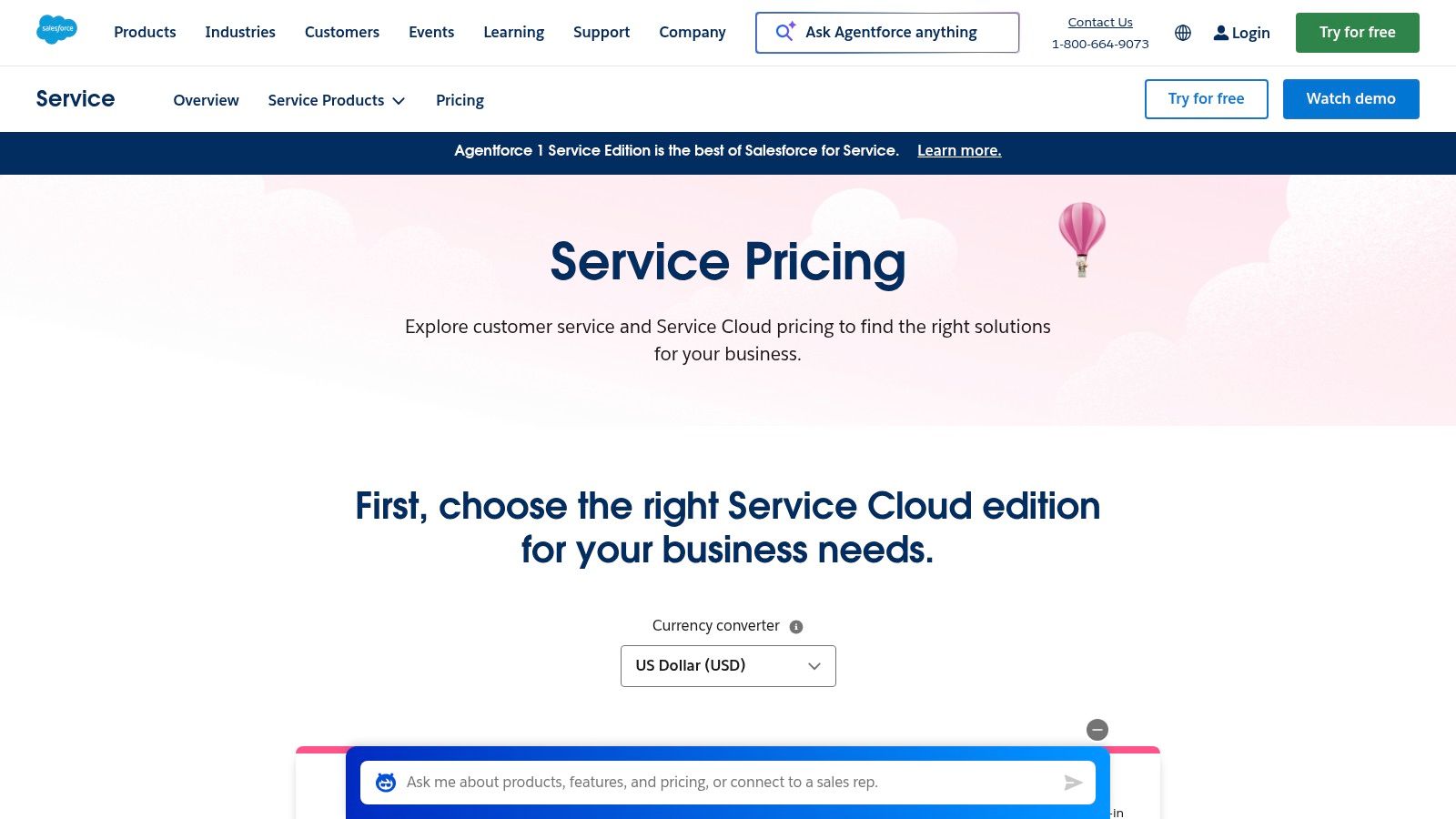
Unlike standalone bot providers, Salesforce integrates its AI capabilities directly into its core CRM, allowing bots to leverage rich customer data for personalized interactions. The platform uses a flexible AI consumption model with Agentforce credits, allowing businesses to pay for what they use across various AI features. This approach supports everything from basic chatbot conversations to complex, data-driven automated workflows, all within a secure and robust environment.
Key Features and Pricing
- Einstein Bots: AI-powered chatbots that can handle common customer requests, qualify leads, and seamlessly hand off conversations to human agents with full context.
- Omni-Channel Routing: Unifies customer interactions from web chat, social media, SMS, and email into a single agent console for efficient case management.
- Pricing: Starts with the "Enterprise" plan at $150 per user/month (billed annually), which includes some AI credits. Advanced AI and messaging features may require add-ons or higher-tier plans like "Unlimited" at $300 per user/month.
Pros and Cons
| Pros | Cons |
|---|---|
| Extremely robust ecosystem with strong compliance features. | Complex pricing with many key features sold as paid add-ons. |
| Deep integration with the entire Salesforce CRM platform. | Implementation often requires significant administrative effort. |
| Flexible AI usage and credit models for scalability. | Can be cost-prohibitive for small to medium-sized businesses. |
Website: https://www.salesforce.com/service/pricing/?utm_source=openai
11. Genesys Cloud CX
Genesys Cloud CX is a comprehensive, cloud-based contact center platform ideal for mid-market to large businesses needing robust omnichannel capabilities. Its native digital and voice bots are integrated directly into the system, allowing for seamless handoffs between automated conversations and human agents. This makes it one of the best customer service chatbots for companies looking to unify their entire support operation, from automated first contact to complex agent-assisted resolutions.
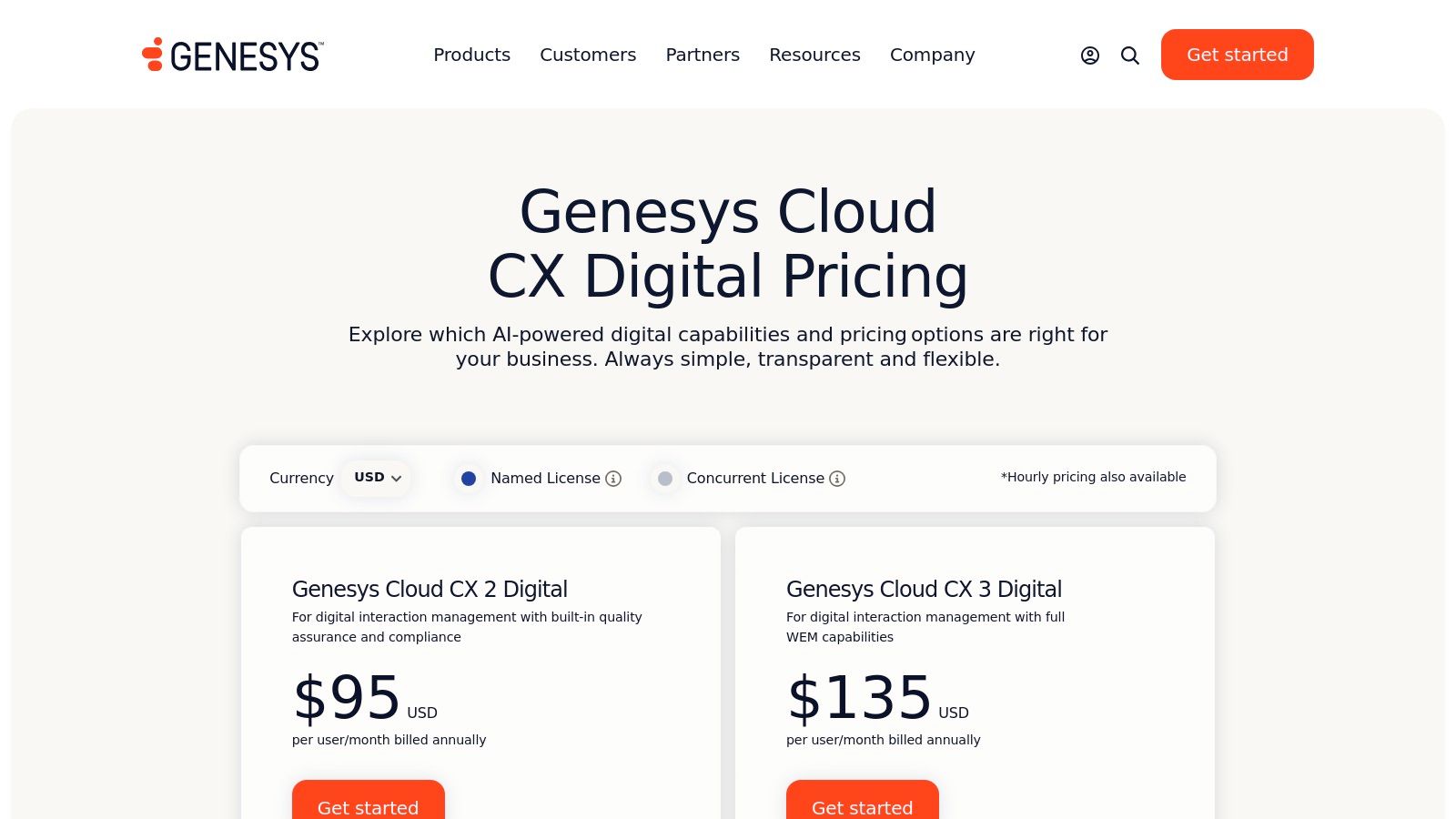
Unlike many standalone bot providers, Genesys includes AI capabilities like predictive engagement and knowledge management within its core digital plans. The platform uses a unique "AI Experience" token system for advanced features, giving businesses flexibility in how they deploy more sophisticated automation. With a strong focus on workforce management and a vast AppFoundry marketplace for integrations, Genesys provides a scalable foundation for growing support teams.
Key Features and Pricing
- Native Virtual Agents: Build and deploy voice and digital bots with built-in knowledge management to provide consistent answers across all channels.
- Predictive Engagement: Proactively engages website visitors with chat based on their behavior, helping to increase conversions and satisfaction.
- Pricing: Digital plans start with AI included. Advanced AI functionalities are powered by optional "AI Experience" tokens, which can be added to plans. This model offers transparency in base costs while allowing for flexible AI usage.
Pros and Cons
| Pros | Cons |
|---|---|
| AI features are included in the transparent digital plans. | Token and add-on pricing can be complex to forecast. |
| Strong omnichannel support and workforce management tools. | The platform’s full value is best realized in higher-tier plans. |
| Integrates bots seamlessly with live agent workflows. | May be overly complex for small businesses with simple needs. |
Website: https://www.genesys.com/pricing/digital
12. AWS Marketplace
For organizations already invested in the Amazon Web Services ecosystem, AWS Marketplace offers a streamlined way to find, buy, and deploy some of the best customer service chatbots from vetted third-party vendors. Instead of being a single chatbot product, it’s a trusted catalog of prebuilt solutions that run on AWS, simplifying procurement, billing, and governance for tech-centric companies. This approach is ideal for businesses that want to centralize their software spending and leverage their existing AWS commitments.
The platform provides a secure environment to discover everything from simple, rule-based bots to advanced generative AI agents tailored for specific industries like healthcare or finance. Its key advantage is integration; all purchases and deployments are managed through your AWS account, offering consolidated billing and the ability to negotiate private offers directly with vendors. This makes it a powerful procurement tool for teams seeking specialized chatbot solutions that meet strict compliance and security standards.
Key Features and Pricing
- Vetted Partner Solutions: Access a wide range of chatbot listings from trusted vendors, including industry-specific and multilingual options.
- Centralized Procurement: Consolidate chatbot software billing with your existing AWS usage, and use private offers to negotiate custom terms.
- Pricing: Varies significantly by vendor. Many listings require contacting the seller for a custom quote or involve professional services fees for implementation. This model is built for enterprise-level procurement rather than self-service sign-ups.
Pros and Cons
| Pros | Cons |
|---|---|
| Vetted vendor ecosystem with standardized terms. | Many listings require contacting vendors for pricing details. |
| Simplifies procurement for existing AWS customers. | Implementation often involves professional services and costs. |
| Easy to trial and request quotes within the platform. | Requires an existing AWS account and governance for deployment. |
Website: https://aws.amazon.com/marketplace/pp/prodview-ubgxgkyt3stvi?utm_source=openai
Top 12 Customer Service Chatbots Comparison
| Platform | Core Features & Integrations | User Experience & Quality Metrics | Value Proposition | Target Audience | Pricing Model & Unique Selling Points |
|---|---|---|---|---|---|
| Yoonoo | No-code AI chatbot, content-driven learning, chat widget & inline chat, email automation via API | Fast setup (5 min), AI learns from website content, versatile UX | Pay-per-use credits, first 10 pages free, credits never expire | SMBs, e-commerce, marketers | Transparent pay-as-you-go credits, scalable, flexible, cost-effective |
| Intercom | Fin AI Agent, multi-channel (chat, email), workflows, multilingual help center | Resolution-based bot pricing, scalable, SSO support | Clear bot pricing, startup to enterprise scale | Startups to enterprises | Per-resolution pricing, add-ons for advanced features |
| Zendesk | AI agents, omnichannel workspace, 1000+ integrations, add-ons for Copilot & analytics | Enterprise reliability, transparent pricing | Deep ecosystem, automated resolution pricing | Enterprises | Per-resolution pricing, tiered add-ons |
| Freshworks (Freshdesk/Freshchat) | Integrated messaging, Freddy AI, omnichannel ticketing & voice | Competitive pricing, quick setup, tiered plans | Clear plans, SMBs focused | SMBs and mid-market | Tiered pricing, some features in higher plans |
| HubSpot Service Hub | Native chatbot builder, workflow automation, knowledge base, CRM integration | Strong onboarding, entry-level free tools | Unified CRM and service data | SMBs to mid-market | Tiered pricing; AI features in Professional/Enterprise tiers |
| Ada | Multi-model AI, 50+ languages, omnichannel, strong analytics | Large-scale governance, automated resolution focus | Robust integrations, persona controls | Mid to large CX teams | Custom pricing, sales engagement required |
| Tidio | Unified inbox, Lyro AI, ecommerce & CMS integrations | Fast setup, scalable conversation tiers | SMB friendly with clear pricing | Small teams, ecommerce | Tiered plans, branding removal on higher tiers |
| LiveChat | AI Text Intelligence, multiple integrations, optional ChatBot add-on | Proven platform, flexible automation via add-on | Stable platform with multi-channel support | SMBs to enterprises | Seat-based pricing plus add-ons for AI |
| ChatBot (by Text/LiveChat) | Visual no-code builder, generative AI, deep integrations | Predictable chat allotments, flexible deployment | Standalone or help desk paired | SMBs to enterprises | Predictable allotments, low overage fees |
| Salesforce Service Cloud | Case management, omnichannel routing, AI bots (Einstein), credit-based AI | Robust ecosystem, strong compliance | Enterprise-grade with flexible AI consumption | Large enterprises | Complex pricing with add-ons, credit-based AI usage |
| Genesys Cloud CX | Native bots, omni-channel routing, workforce mgmt, AppFoundry | Transparent digital plan pricing, strong omni-channel | Mid to large contact centers | Mid to large enterprises | Token/add-on pricing, best value at higher tiers |
| AWS Marketplace | Prebuilt chatbots, partner solutions, procurement controls | Vetted vendors, easy trials, AWS integration | AWS-centric organizations | AWS-focused organizations | Variable pricing, many require quotes and professional services |
Making Your Final Choice: The Right Chatbot for Your Team
We've explored a comprehensive landscape of the best customer service chatbots available today, from all-in-one customer service giants to specialized, AI-powered automation platforms. The sheer number of options can feel overwhelming, but this variety also means there is a perfect-fit solution waiting for your business.
The journey to find the right tool isn't about picking the one with the longest feature list. It's about a strategic match between the platform's capabilities and your unique business needs, budget, and long-term vision. Each tool we've reviewed excels in a particular area, creating a clear path for your decision-making process.
Key Takeaways from Our Review
Reflecting on our analysis, a few core themes emerge:
- No One-Size-Fits-All Solution: An enterprise-level platform like Salesforce Service Cloud offers immense power but is often overkill for a small e-commerce store. Conversely, a nimble tool like Tidio or Yoonoo is perfect for startups but might lack the deep, native CRM integrations a large corporation requires.
- Implementation is a Major Factor: Some platforms, like Ada or Genesys Cloud CX, require significant setup and technical expertise. Others, designed for simplicity, can be launched in minutes. Be honest about your team's available time and technical skills when making your choice.
- Pricing Models Vary Wildly: From pay-as-you-go and flat monthly fees to agent-based pricing and custom enterprise quotes, the cost can be difficult to compare directly. Focus on a model that offers predictability and scales logically with your business growth.
A Practical Framework for Your Decision
To move from reading to doing, here’s a simple, actionable framework to guide your selection. Ask yourself and your team the following questions:
- What is our primary goal? Are you trying to deflect common questions to reduce support ticket volume? Do you want to generate more leads? Is your main priority providing 24/7 support? Your primary objective will immediately narrow down the list. A lead-generation goal might point you toward HubSpot, while a focus on pure ticket deflection could favor Zendesk or Freshworks.
- What is our budget and technical capacity? Be realistic. If you have a small team and limited budget, a powerful but complex system will only gather dust. A no-code, cost-effective solution like Yoonoo provides a much faster and more sustainable path to achieving your goals without requiring dedicated developers or a hefty upfront investment.
- How important are integrations? List your essential, must-have tools: your CRM, help desk software, e-commerce platform, and marketing automation tools. Check which chatbot platforms offer deep, native integrations with your existing tech stack to ensure a seamless flow of data and a unified customer view.
Ultimately, the best customer service chatbots are the ones that empower your team, not complicate their workflow. They should feel like a natural extension of your brand, providing instant, helpful, and personable support to every customer who visits your site. This investment is not just in technology; it's an investment in customer satisfaction and loyalty. Choose the partner that helps you build stronger relationships, one conversation at a time.
Ready to launch a powerful, AI-driven chatbot without the complexity or high costs? Yoonoo offers a unique no-code platform that allows you to build and deploy a custom chatbot in just five minutes, with a simple pay-as-you-go model that scales with you. See for yourself how easy it is to elevate your customer support at Yoonoo.